
Tryonixs Blog
Virtual Try-On Software: The Ultimate Guide for High-Growth Ecommerce Brands
How AI virtual try-on software uses computer vision, WebGL, and on-device machine learning to close the try-before-you-buy gap — with chapters on eyewear PD scaling, cosmetics color science, ROI, Shopify integration, and a vendor benchmarking framework.
By the Tryonixs Engineering Team — Contact us | Book a demo | View the docs
Last Updated: July 2026
This guide is reviewed and updated periodically as browser rendering standards (WebGL, WebAssembly), Core Web Vitals requirements, and virtual try-on best practices evolve. If you're reading this more than a year after the date above, verify any specific technical thresholds against current vendor documentation before implementing.
If a shopper can't touch, feel, or try on a product, they're forced to guess. That guess is where ecommerce quietly loses money — in abandoned carts, in "it looked different in the photo" emails, and in the box that comes right back a week later.
For twenty years, the fix has stayed the same: sharper photos, a 360° spin video, maybe a size chart. None of it answers the one question every shopper is actually asking: "How will this look on me?"
AI virtual try-on (VTO) software answers that question directly. It uses computer vision, on-device machine learning, and real-time 3D rendering to turn a phone camera or webcam into a digital mirror — letting a customer see a pair of glasses on their own face, or a lipstick shade on their own lips, before they ever click Add to Cart.
This guide breaks down exactly how that technology works, what it costs a brand not to have it, and how to implement it without wrecking your page speed. We'll cover the computer vision pipeline, the math behind millimeter-accurate eyewear fit, the color science behind cosmetics matching, the real financial impact on returns and conversion, and a practical implementation roadmap — plus 15 detailed FAQs for technical and non-technical teams alike.
Key Takeaway
Virtual try-on doesn't just make a product page more interactive. It closes the single biggest information gap in online shopping — and that gap is directly responsible for a large share of ecommerce returns.
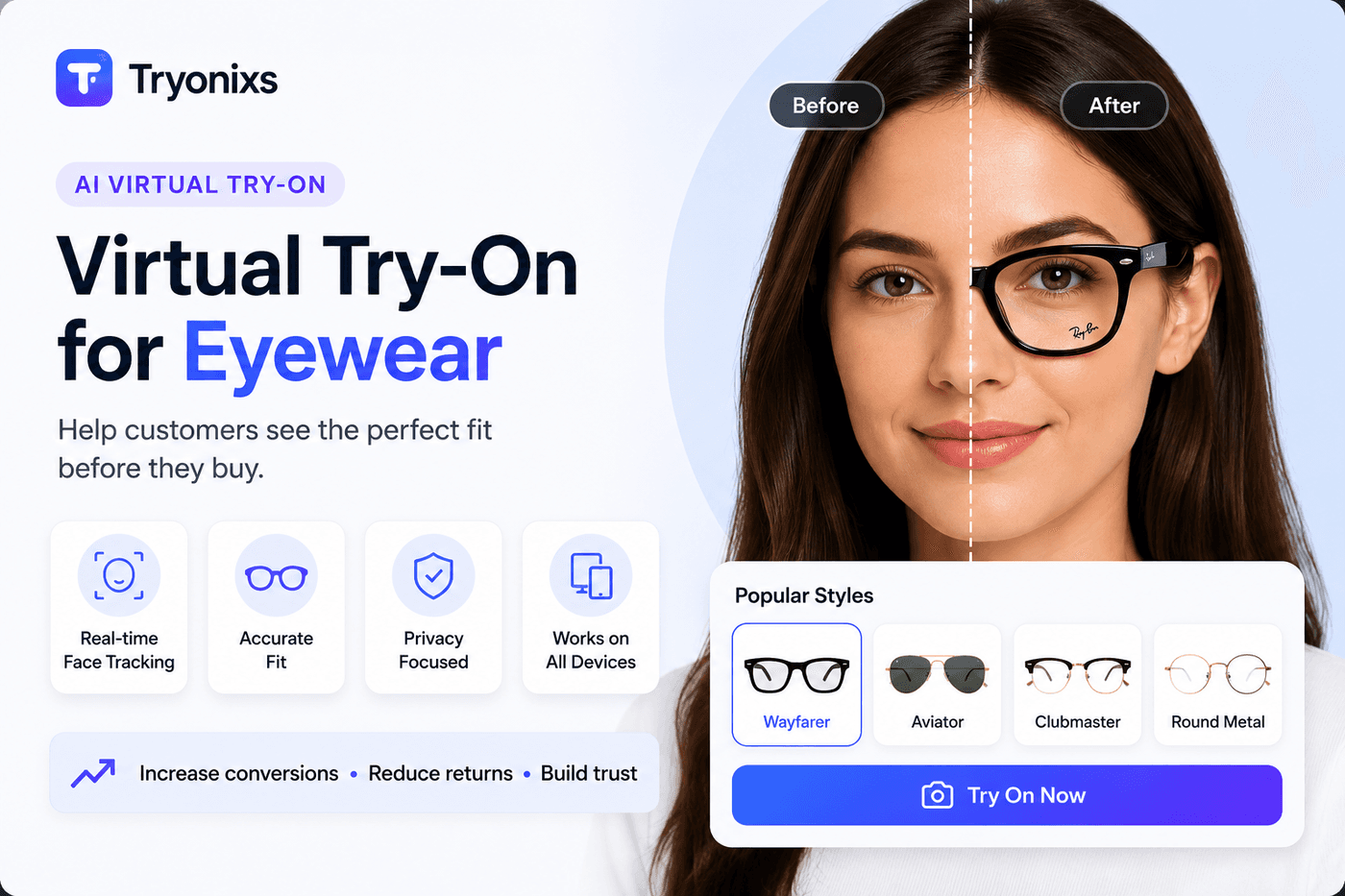
Who This Guide Is For
This guide is written for anyone evaluating or building virtual try-on into an online store, including:
- Shopify & Shopify Plus merchants exploring app-based virtual try-on
- Ecommerce managers trying to reduce return rates and lift conversion
- Eyewear brands evaluating fit-accuracy technology
- Beauty and cosmetics companies evaluating color-matching technology
- Agencies advising ecommerce clients on conversion optimization
- Developers and CTOs assessing SDK/API architecture and performance tradeoffs
- Startup founders deciding whether to build in-house or integrate a vendor platform
- Product managers scoping a virtual try-on feature roadmap
If you're technical, the chapters on computer vision, WebGL, and PD calculation will be most useful. If you're evaluating vendors from a business lens, jump to Chapter 5 (ROI) and the benchmarking framework below.
Chapter 1: The New Paradigm of Digital Commerce
The Death of the Static Product Page
Traditional product detail pages (PDPs) create an analytical hurdle for shoppers. When someone is browsing a pair of aviator sunglasses or a shade of liquid lipstick, they aren't just asking, "Is this well made?" They're asking something a photo can never fully answer: "Will this suit me?"
A static model photo answers the first question. It cannot answer the second, because it introduces three unavoidable mismatches:
- Demographic mismatch— the model doesn't share the shopper's face shape, skin tone, or build
- Facial structure variance — glasses that look great on a narrow face may look totally different on a wide one
- Skin undertone deviation— a lipstick that reads "berry red" on a cool-toned model may look orange on warm-toned skin
Virtual try-on removes the guesswork by turning the shopper's own camera into a live mirror. It rewrites the shopping journey:
| Traditional Journey | VTO Journey |
|---|---|
| Browse → Guess → Purchase → Disappointment → Return | Browse → Real-Time Try-On → Verification → Confident Purchase |
Virtual try-on replaces the guess-and-return cycle with real-time verification.
The Psychology of "Try Before You Buy" (TBYB)
The brain processes visual information dramatically faster than text. When a shopper sees a product mapped accurately onto their own reflection in real time, it triggers something psychologists call the endowment effect — the well-documented tendency to value something more highly the moment you feel a sense of ownership over it.
In simple terms: the instant you see yourself "wearing" something, some part of your brain starts treating it like it's already yours. That's a far more powerful nudge toward purchase than a product description ever could be.
Seeing your own face interact naturally with a product replaces abstract imagination with visual proof — and that proof is what reduces cart hesitation.
Tryonixs Engineering Insight
Chapter 1 Checklist
- Identify which PDPs suffer most from "will this suit me?" hesitation
- Audit current return reasons tagged as "didn't look as expected" or "wrong color"
- Benchmark current cart abandonment rate as your baseline
Chapter 2: Decoding the Tech Stack — How VTO Works Natively in the Browser
To a brand executive, virtual try-on looks like magic. To an engineer, it's an orchestration of several distinct machine learning and graphics systems running directly in the browser. Understanding this pipeline matters when you're vetting vendors for speed, accuracy, and scalability.
1. Computer Vision & Real-Time Face Tracking
Computer vision is the foundation of any serious VTO system. When a user grants camera access, the software initializes a face-tracking algorithm that runs continuously on the incoming video feed.
In simple terms: computer vision is the software equivalent of a very fast, very precise pair of eyes — instead of "seeing" like a human, it's constantly measuring: where is the face, where are the eyes, how is the head tilted, right now, sixty times a second.
+------------------+     +------------------------+     +----------------------+
|  Raw Camera Feed | --> | Deep Learning Mesh     | --> | Real-Time Render     |
|  (Client Device) |     | (Face Mesh Landmarks)  |     | (WebGL Layer)        |
+------------------+     +------------------------+     +----------------------+
Unlike legacy tools that required a static uploaded photo, modern browser-based SDKs use dense deep learning meshes that:
- Analyze incoming frames at up to 60 frames per second (FPS)
- Plot hundreds of coordinate points across the face
- Track contours and key facial features continuously, even as the user moves
2. Landmark Detection & Spatial Anchoring
Once the mesh is mapped, the software identifies key spatial anchors:
- Interpupillary Distance (PD): the exact distance between pupil centers — critical for scaling virtual eyewear to millimeter precision
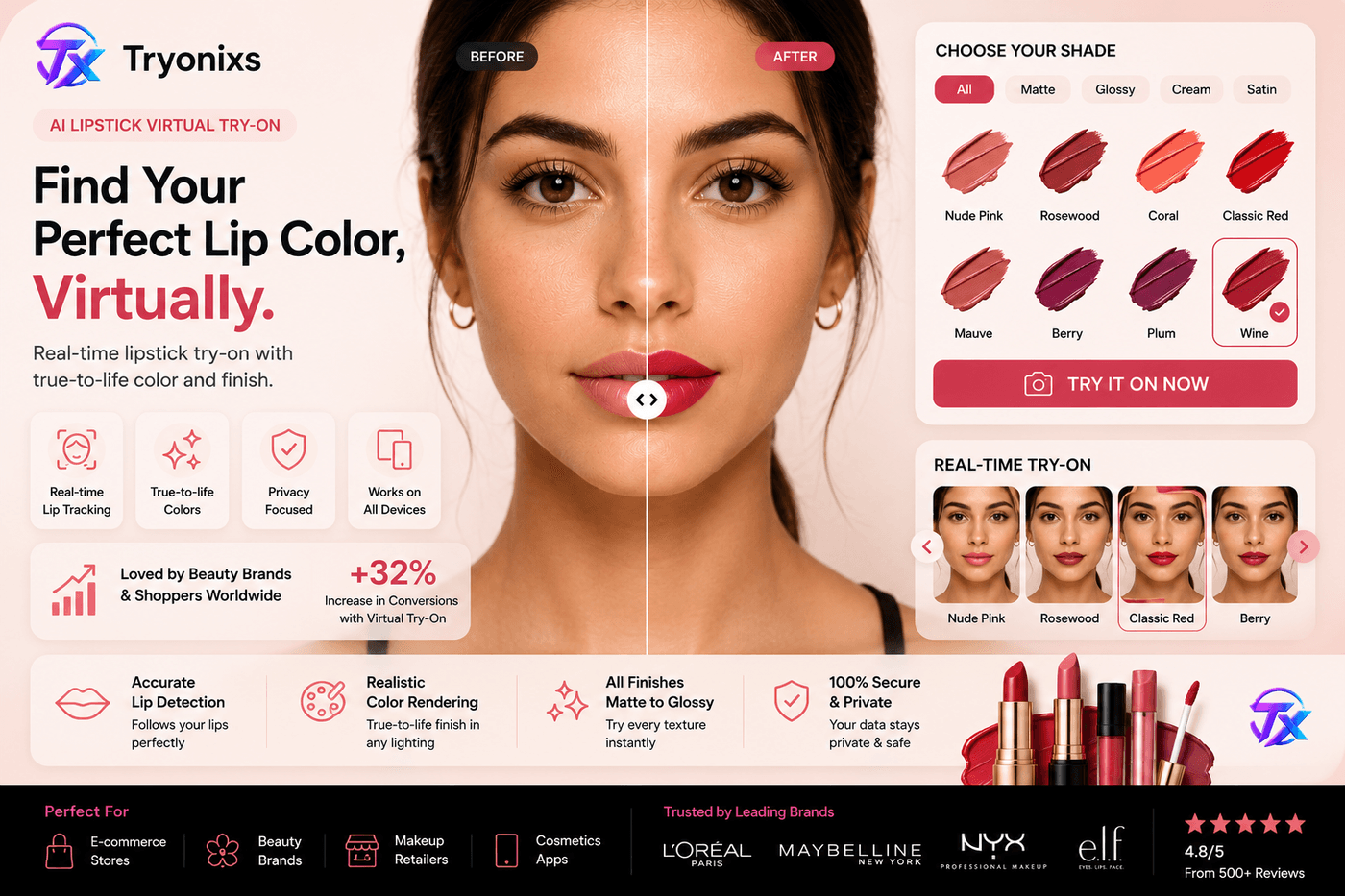
- Lip Contours: the dynamic borders of the upper and lower lip, tracked so virtual lipstick never bleeds or clips during speech or smiling
- Jawline and T-Zone Meshes: used to calculate lighting variance and surface angle across different face shapes
Because these calculations run locally on the user's own device via WebAssembly (Wasm) and hardware-accelerated JavaScript, no biometric image data needs to leave the browser. This keeps the experience compliant with privacy standards like GDPR and CCPA by design, not as an afterthought. Brands should confirm compliance specifics with legal counsel rather than relying solely on vendor claims — see the EU GDPR and California CCPA resources as neutral primary references.
3. Real-Time Browser Rendering via WebGL
Once landmarks are anchored, the browser renders the digital product on top of the live video. This is handled by WebGL — a JavaScript API for rendering high-performance 2D and 3D graphics in any modern browser, no plugins required.
In simple terms: WebGL is the engine that lets a browser draw realistic 3D objects (like a pair of glasses) directly on top of your video feed, at full frame rate, without needing to install anything.
+-----------------------------------------------------------------+
| WebGL Rendering Pipeline for Virtual Try-On                     |
+-----------------------------------------------------------------+
| 1. Video Layer: Raw webcam stream frames                        |
| 2. Occlusion Layer: Masks out parts hidden behind your head     |
| 3. Product Layer: 3D asset or color mesh with PBR textures      |
+-----------------------------------------------------------------+
Premium VTO engines use Physically Based Rendering (PBR) textures, which map real-world lighting behavior onto the digital object. If a shopper turns toward a window, virtual glasses show real-time reflections; virtual lipstick shifts naturally across highlight and shadow. This dynamic response is what separates a premium experience from a flat, static filter.
Common Mistakes We See
- Ignoring occlusion entirely. If a strand of hair or a hand passes in front of the face, cheap implementations render the product on top of it instead of behind it — instantly breaking the illusion.
- Static lighting assumptions. A product asset lit for one lighting condition looks wrong in every other room. PBR materials solve this, but only if the vendor actually implements dynamic light detection.
- Testing only on high-end devices. A pipeline that runs smoothly on a new iPhone can drop to single-digit frame rates on a mid-range Android device — which may represent a large share of your actual mobile traffic.
Chapter 2 Checklist
- Confirm vendor processes video client-side (not server-side) for privacy and latency
- Confirm frame tracking rate (aim for 30–60 FPS)
- Test occlusion handling with hair, hands, and head rotation
- Verify PBR/material rendering under different lighting conditions
Chapter 3: The Eyewear Revolution — Millimeter Precision in Virtual Glasses
Scaling an eyewear brand online introduces a specific geometric problem: faces vary drastically in width, structure, and ear-to-nose placement. With apparel, a slightly loose fit is forgivable. With eyewear, a frame that's off by even two millimeters looks instantly artificial.
+---------------------------------------------------------------+
|  Camera Frame Input (Pixels)                                  |
|         ↓                                                     |
|  Landmark Detection -> Locate Left/Right Pupil Coordinates    |
|         ↓                                                     |
|  Calculate PD Matrix via Angular Subtense & Focal Length        |
|         ↓                                                     |
|  Scale 3D Frame Asset to Millimeter-Perfect Real-World Width  |
+---------------------------------------------------------------+
The Physics of Automatic PD Calculation
In an optical store, an optician measures pupillary distance with a pupillometer. Online, the software has to derive this without a physical tool.
In simple terms: the software works out how far apart your eyes really are (in millimeters) just by analyzing the camera image and doing some geometry — similar to how your brain judges distance using two eyes, except it's using math instead of instinct.
It does this by analyzing the camera's intrinsic parameters alongside facial tracking data, calculating the ratio between pupil landmarks and overall face geometry, and normalizing for the user's distance from the lens. If the user leans closer to the screen, the system doesn't simply enlarge the glasses — it recalculates the angular subtense so a 140mm-wide frame sits exactly where a real 140mm frame would on that person's temples.
3D Frame Scaling, Perspective, and Head Rotation
Eyewear is a three-dimensional object interacting with light across multiple axes. A premium engine handles three things:
- Six Degrees of Freedom (6 DoF) Tracking — pitch, yaw, roll, and X/Y/Z translation, so the temples of the glasses wrap accurately behind the ears even in profile
- Occlusion Mapping — depth masks ensure hair or a raised hand correctly hides part of the frame instead of the frame rendering on top of it
- Material Authenticity via PBR — acetate frames show organic gloss, titanium shows a cold metallic satin finish, and polarized lenses display accurate gradients and anti-reflective coatings
Tryonixs Engineering Insight
Comparison: Photo Upload vs. Live Camera Try-On
| Factor | Static Photo Upload | Live Camera Try-On |
|---|---|---|
| Fit accuracy | Fixed to one angle/lighting | Updates in real time as user moves |
| Friction | Requires upload step | Instant, one-click |
| Head rotation support | None | Full 6 DoF tracking |
| Repeat use (trying multiple frames) | Slow, re-upload each time | Instant switching |
| Best suited for | Low-bandwidth fallback | Primary experience |
Explore our live virtual eyewear try-on demo to test real-time spatial tracking firsthand.
Chapter 3 Checklist
- Validate PD calculation against a known physical measurement
- Test frame rendering across profile, three-quarter, and frontal angles
- Confirm occlusion behaves correctly with glasses + hair + hands
- Review material shaders (acetate, metal, polarized) under mixed lighting
Chapter 4: The Cosmetics Frontier — Pigment Accuracy and Color Science
Where eyewear is a geometry problem, virtual makeup is a color science problem. A cosmetics brand cannot afford to have a lipstick render neon-orange on cool undertones when the physical product is a deep berry red.
+-----------------------------------------------------------------------+
| Digital Cosmetics Processing Matrix                                   |
+-----------------------------------------------------------------------+
| 1. Raw Skin Sampling: Detect undertone via RGB/YUV channel isolation  |
| 2. Alpha-Blended Overlay: Calculate pigment density & opacity vectors |
| 3. Texture Application: Apply specular maps (Matte vs Gloss vs Satin) |
+-----------------------------------------------------------------------+
The Challenge of Real-Time Skin Undertone Calibration
Human skin reflects light through sub-surface scattering — light penetrates the outer skin layers, scatters, and exits at different angles depending on melanin density and blood flow. Ambient lighting (warm incandescent vs. cool fluorescent) drastically alters the raw RGB values a camera actually captures.
In simple terms: the camera doesn't see "true" skin color — it sees skin color plus whatever color light is in the room. The software has to subtract out the room's lighting tint before it can accurately judge undertone, the same way your eyes automatically adjust so a white wall still looks white under both sunlight and lamp light.
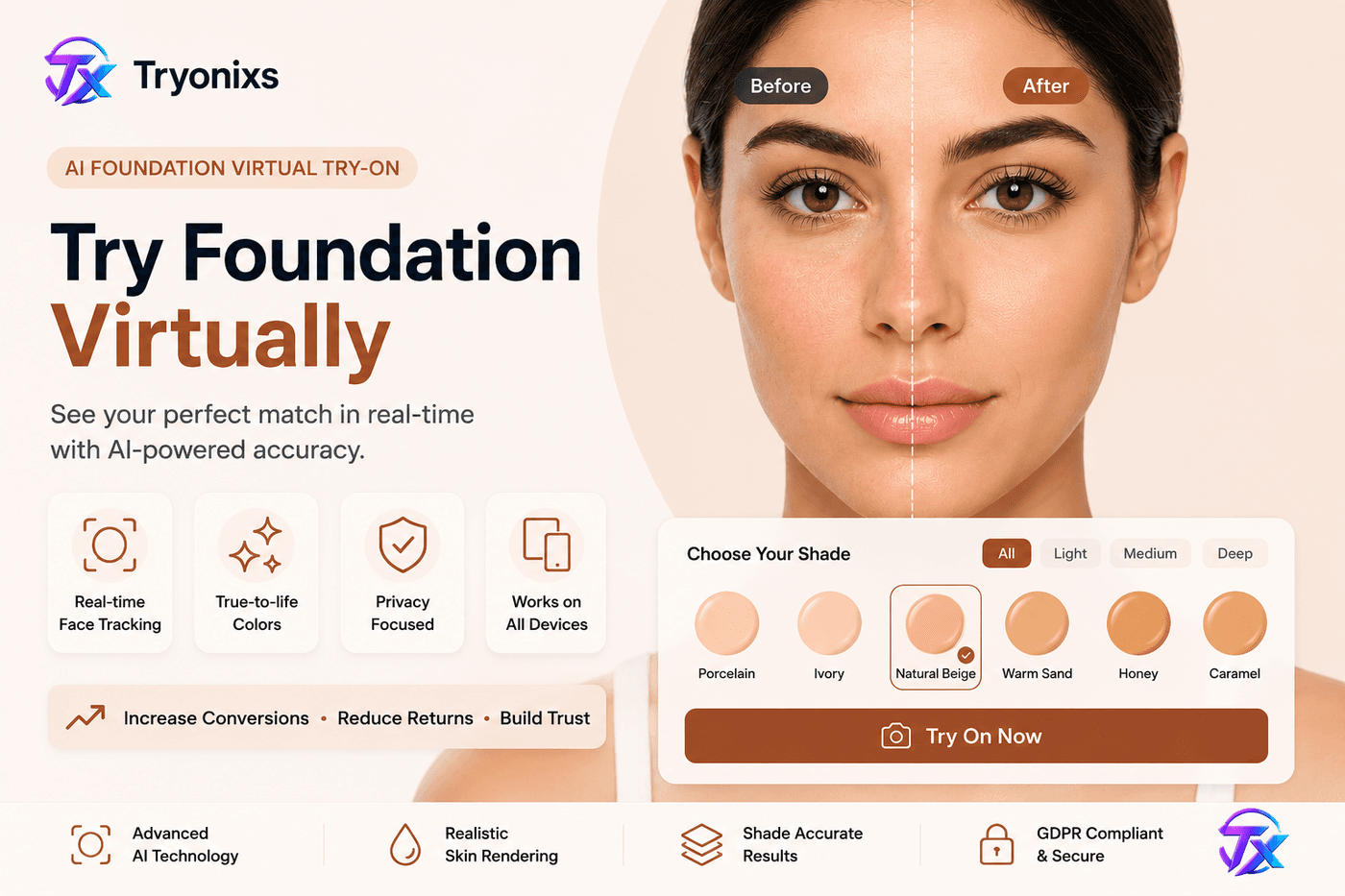
To handle this, the software runs a real-time white-balance calibration: it samples non-reflective areas (forehead, jawline), isolates the ambient tint, and normalizes the feed — which allows the foundation-matching algorithm to determine warm, cool, or neutral undertone and map it to the correct SKU.
Finish Types and Rendering Parameters
| Finish Type | Reflection (Specular) | Roughness (0.0–1.0) | Technique |
|---|---|---|---|
| Ultra-Matte | Low (< 0.05) | High (0.8–1.0) | Light-absorption shader, high micro-surface scattering |
| Satin / Cream | Medium (0.15–0.25) | Medium (0.4–0.5) | Balanced specular highlight mapping |
| High-Gloss | High (> 0.60) | Ultra-Low (0.05–0.15) | Sharp environment-mapped reflection matrices |
Digital Foundation Blending vs. the "Mask Effect"
Legacy beauty filters painted an opaque, single-color block over the skin — flat, unnatural, and hiding all natural texture. Modern engines use multi-layered, alpha-blended transparency channels instead: the shade is applied as a semi-translucent color matrix whose blend ratio adjusts based on local contrast, letting natural skin texture, pores, and birthmarks show through — closer to how a real foundation sheers out when applied with a sponge or brush.
Precision Lip Tracking and Dynamic Texture Mapping
Lips are uniquely difficult to track: highly flexible, prone to wrinkling during movement, and defined by a wet-to-dry transition boundary. VTO engines isolate the vermilion border using a high-density sub-mesh.
- Matte lipsticks:the engine minimizes surface highlights and dampens reflection, showing natural lip texture without looking dry or "crinkled"
- Glosses & stains: a high-frequency specular layer tracks lip movement in real time, producing a bright, moving highlight that mimics an oil- or polymer-based wet finish
Try our virtual foundation try-on and virtual lipstick try-on demos to evaluate color accuracy on your own device.
Tryonixs Engineering Insight
Chapter 4 Checklist
- Test undertone detection under warm, cool, and mixed lighting
- Confirm lip tracking holds up during speech and smiling
- Review matte vs. gloss vs. satin rendering for each shade family
- Validate shade-to-SKU mapping accuracy against physical swatches
Chapter 5: The Financial Engine — ROI, Conversions, and Crushing the Return-Rate Crisis
An immersive storefront experience is a strong branding move, but it's ultimately judged on financial return. Retailers evaluate VTO against Conversion Rate Optimization (CRO), Average Order Value (AOV), and overall ROI.
+---------------------------------------------------------------+
|  Lower Return Rates (Fewer processing & restocking fees)      |
|         ↓                                                     |
|  Higher Conversion Rates (Reduced cart abandonment)            |
|         ↓                                                     |
|  Increased Margins & Retained Revenue                          |
+---------------------------------------------------------------+
The Return Crisis: The Hidden Cost of Online Retail
Baseline ecommerce return rates commonly range from 20% to 30%, climbing higher for fit-sensitive and color-sensitive categories like eyewear and cosmetics. Two reasons consistently top the list industry-wide:
- "The item didn't fit or look the way I expected"
- "The color looked different online than in real life"
Every return carries hidden costs beyond the lost sale: return shipping labels, reverse logistics labor, inspection, re-boxing or sanitation, and inventory write-downs for stock that can't be resold at full price.
Note: Return-rate and conversion figures vary significantly by industry, category, price point, and existing baseline performance. The ranges below reflect commonly reported industry patterns rather than guaranteed outcomes — treat them as a framework for estimating your own potential impact, not a promise.
Slicing Returns via "Bracketing" Prevention
Bracketing is a risk-mitigation habit among online shoppers: order three sizes, shades, or styles, intending to keep one and return the rest. It's a rational response to uncertainty — and uncertainty is exactly what VTO is designed to remove.
[Without VTO]: Shopper orders 3 items -> Keeps 1, Returns 2 -> Shipping & Restocking Costs
[With VTO]:    Shopper verifies fit -> Orders 1 item -> Keeps 1 -> Minimal Operational Drain
Industry data broadly suggests high-fidelity try-on experiences can meaningfully reduce return rates in fit- and color-sensitive categories — commonly cited in the range of 20–30%, though actual results depend heavily on category, baseline return causes, and implementation quality.
A Realistic Business Example
Worked Example:Suppose a Shopify eyewear store gets 8,000 monthly visitors at a 2.0% conversion rate — roughly 160 orders per month. If adding virtual try-on lifts conversion to 2.6% (a commonly cited improvement range for fit-sensitive categories, though results vary), that's approximately 48 additional orders per month, assuming traffic holds steady. If the store also sees returns on eyewear drop from 25% to 18% due to better fit confidence, that's meaningfully fewer reverse-logistics costs on top of the added revenue.
This is illustrative math, not a guarantee — your own numbers depend on your category, price point, and current baseline. Review our Tryonixs pricing to model cost against projected gains.
Amplifying Conversion and Engagement Metrics
| Metric | Baseline (Static Store) | Commonly Reported Post-VTO Range | Why It Matters |
|---|---|---|---|
| Ecommerce Conversion Rate | 1.5% – 2.5% | 2.0% – 3.5% | Lowers effective customer acquisition cost |
| Avg. Page Session Duration | 45 – 60 seconds | 90 – 120 seconds | Signals engagement; can support SEO dwell-time signals |
| Average Order Value (AOV) | Baseline | 15% – 39% reported increase in some case studies | Often driven by easier cross-shade/style comparison |
Chapter 5 Checklist
- Document current return rate and top return reasons by category
- Set a baseline conversion rate and AOV before launch
- Define a measurement window (30/60/90 days) to isolate VTO's impact
- Track bracketing behavior (multi-variant orders) before and after launch
Chapter 6: Implementation & Architecture — Seamless Shopify and Enterprise Integration
Building a real-time computer vision engine from scratch requires significant engineering investment and ongoing optimization. For most brands, the practical path is a modular, vendor-built platform.
+---------------------------------------------------------------+
|  Merchant Embeds Script Tag / Shopify App Native Element      |
|         ↓                                                     |
|  Client Requests WebGL Shaders & Optimized 3D/Color Asset     |
|         ↓                                                     |
|  Client-Side Hardware Execution via WebAssembly (No Server Delay) |
+---------------------------------------------------------------+
Comparison: Shopify App vs. Headless SDK/API
| Factor | Shopify App (Low-Code) | Headless SDK/API |
|---|---|---|
| Setup time | Fast — script tag or app install | Slower — requires developer integration |
| Customization | Limited to app configuration | Full control over UI/UX and branding |
| Best for | Shopify/Shopify Plus merchants | Custom React/Next.js/Vue/native apps |
| Maintenance | Handled by app vendor | Shared between vendor and internal dev team |
A. The Low-Code Shopify Integration Route
For brands on Shopify or Shopify Plus, deployment uses native app extensions. The system injects a lightweight, asynchronous script tag into the storefront theme, which hooks into product templates and automatically places a "Virtual Try-On" button beneath "Add to Cart" on verified SKUs. Product variant IDs are matched automatically to cloud-hosted 3D models or color pigment matrices. See our Shopify integration documentation for setup details.
B. The Headless Enterprise SDK/API Route
For custom builds (React, Next.js, Vue, native iOS/Android), developers integrate directly via SDK and REST API, separating the front-end experience from the underlying computer vision pipeline.
// Conceptual example of an Enterprise VTO Engine initialization
import { TryonixsCore } from 'tryonixs-vto-sdk';

const initVirtualTryOn = async () => {
  const vtoEngine = await TryonixsCore.initialize({
    apiKey: 'YOUR_API_KEY',
    canvasId: 'vto-realtime-mirror-surface',
    productSku: 'eyewear-aviator-matte-black'
  });

  vtoEngine.on('face_tracked_success', () => {
    console.log('User face mesh anchored successfully.');
  });
};
See our developer documentation and SDK reference for full integration details.
Core Optimization: Maintaining Ultra-Low Latency and Page Speed
A heavy script bundle can hurt Core Web Vitals, organic search rankings, and mobile bounce rates. Top-tier VTO engines isolate their processing to avoid this:
- Asynchronous script execution — the core script loads outside the critical rendering path
- Highly compressed assets — 3D frame models use Draco-compressed .glb/.gltf formats, typically kept under 1.5MB
- Client-side processing — face tracking runs on-device via WebAssembly, avoiding server round-trip latency while protecting user privacy
As outlined in Google's Core Web Vitals documentation and web.dev, page experience signals directly affect search visibility — making async loading and asset compression non-negotiable for VTO integrations.
Best Practices
- Lazy-load the VTO script so it only initializes when a shopper opens the try-on modal
- Compress all 3D assets before upload — don't rely on the platform to do it for you
- Run Lighthouse/Core Web Vitals audits before and after integration to catch regressions early
- Test on real mid-range Android devices, not just flagship phones
Chapter 6 Checklist
- Choose Shopify app vs. headless SDK based on technical resources
- Compress all 3D/color assets before deployment
- Confirm asynchronous script loading
- Run mobile Core Web Vitals audit pre- and post-launch
- Test on low- and mid-tier Android devices, not just flagship hardware
How to Evaluate Virtual Try-On Software
Not all virtual try-on platforms are built to the same standard. Use this framework to evaluate vendors on the criteria that actually predict real-world performance — not just demo-reel polish.
| Evaluation Criteria | What to Look For | Why It Matters |
|---|---|---|
| Tracking Accuracy | Stable landmark tracking across face shapes, skin tones, and partial occlusion | Poor tracking directly causes misaligned try-on results |
| Lighting Adaptation | Real-time white-balance and PBR response to ambient light changes | Determines color and material accuracy in real shopping environments |
| Occlusion Handling | Correct masking behind hair, hands, and head rotation | A common failure point that breaks visual realism |
| Rendering Quality | PBR materials, realistic specular/gloss behavior | Separates premium experiences from flat filters |
| Latency | Time from camera activation to first stable render | High latency increases abandonment of the try-on experience itself |
| Frame Rate (FPS) | Sustained 30–60 FPS on mid-range devices, not just flagships | Choppy tracking undermines trust in the fit result |
| Browser Support | Consistent behavior across Chrome, Safari, Firefox, Edge, and mobile browsers | Fragmented support excludes real shoppers |
| Mobile Performance | Smooth performance on mid-tier Android hardware | Majority of ecommerce traffic is mobile |
| Accessibility | Fallbacks for no-camera users, screen reader compatibility | Both a compliance and a conversion issue |
| Core Web Vitals Impact | Asynchronous loading, minimal LCP impact | Directly affects SEO and bounce rate |
| Privacy | Client-side processing, clear camera permission disclosure | Legal compliance (GDPR/CCPA) and shopper trust |
| Security | Secure API key handling, no unnecessary data retention | Protects both merchant and shopper data |
| SDK Quality | Clean initialization, error handling, event hooks | Reduces developer integration time and bugs |
| API Documentation | Clear, versioned, example-driven docs | Predicts long-term maintainability of the integration |
| Developer Experience | Sandbox/testing environment, responsive support | Speeds up implementation and reduces technical debt |
| Analytics | Try-on engagement, conversion attribution, drop-off tracking | Required to actually measure ROI (Chapter 5) |
| Scalability | Performance under traffic spikes (sales, launches) | Prevents outages during high-value periods |
| Support | SLA-backed technical support, onboarding assistance | Reduces implementation risk |
| Merchant Experience | Intuitive dashboard, asset upload workflow | Determines ongoing operational cost after launch |
Technical Recommendation:Don't evaluate a vendor purely from a polished sales demo. Request a live test on your own product catalog, on a mid-range Android device, under mixed indoor lighting — the conditions your actual shoppers will use. This single test surfaces more real signal than any spec sheet.
Accessibility Considerations for Virtual Try-On
A try-on experience that only works for some shoppers isn't finished. Consider the following when evaluating or building a VTO integration:
- Keyboard navigation: The try-on modal, shade/frame selector, and close controls should be fully operable without a mouse or touchscreen.
- Screen reader compatibility:Buttons and controls need meaningful ARIA labels (e.g., "Open virtual try-on for Aviator Matte Black," not just "Try On"), and dynamic state changes should be announced.
- Color contrast: UI controls surrounding the try-on experience should meet WCAG AA contrast minimums, independent of the live camera feed itself.
- Camera permission messaging: Clearly explain why camera access is requested and how the video is processed (ideally: on-device, never uploaded) before the browser permission prompt appears.
- Alternative experiences for users without cameras:Provide a fallback — static shade swatches, size charts, or photo-upload try-on — so shoppers who deny camera access aren't blocked from evaluating the product.
- WCAG awareness: Treat the Web Content Accessibility Guidelines (WCAG) as a baseline target, not a nice-to-have.
Chapter 7: Pitfalls, Future Trends, & Deep-Dive FAQ
Critical Implementation Mistakes Brands Make
- Prioritizing visual novelty over geometric accuracy. Entry-level tools often use flat graphic layers that ignore spatial depth or personal facial structure.
- Creating high-friction user flows. Requiring an app download, account registration, or multi-step photo capture kills engagement.
- Neglecting asset optimization. Uncompressed 3D models or poorly calibrated color palettes slow page load and hurt mobile Core Web Vitals and search visibility.
The Evolution of Digital Storefronts
+---------------------------------------------------------------+
|  Generative AI Scene Lighting Adaptations (Neural Shaders)   |
|         ↓                                                     |
|  Agentic AI Virtual Stylists (Autonomous Recommendations)     |
|         ↓                                                     |
|  Cross-Device Native AR Ecosystems (Seamless Interactions)    |
+---------------------------------------------------------------+
Digital retail is moving toward deeper personalization: generative neural models that adapt a product's rendered surface to a shopper's exact lighting environment, and shopping assistants that analyze facial features and style preferences to suggest frame shapes or full cosmetic looks autonomously. These capabilities are actively developing across the industry — evaluate any specific vendor claim against a live demo rather than a roadmap slide.
The 15 frequently asked questions below cover technical, business, developer, privacy, and accessibility angles in detail.
Conclusion: Transform Your Storefront with Interactive Commerce
Static product photography was never designed to answer the one question every online shopper actually has: will this work for me? That gap — not a lack of good photography or copywriting — is what drives bracketed orders, hesitant carts, and returns tagged "didn't look as expected."
Virtual try-on closes that gap directly. As this guide has covered, doing it well requires getting several hard technical problems right at once: accurate real-time face tracking, millimeter-precise geometric scaling for eyewear, lighting-aware color science for cosmetics, and a rendering pipeline fast enough not to cost you page speed or Core Web Vitals. None of these are optional — a try-on experience that gets even one wrong tends to erode shopper trust rather than build it.
The brands seeing real results aren't just adding a novelty feature. They're treating virtual try-on as core shopping infrastructure — measured with the same rigor as conversion rate, AOV, and return rate, and benchmarked against the evaluation framework in this guide rather than a vendor's demo reel.
You don't need to rebuild your platform to get there. Whether you're a single-storefront Shopify merchant or an enterprise retailer running a headless stack, the architecture in Chapter 6 is designed to layer onto what you already have.
Next steps:
- See the technology in action → Explore our Virtual Eyewear Try-On system
- Evaluate color accuracy → Try our Virtual Foundation and Virtual Lipstick tools
- Talk to our engineering team → Review API options, browse the developer docs, or schedule a live platform demo tailored to your stack
About the Authors
The Tryonixs Engineering Team builds the computer vision and real-time rendering systems that power browser-based virtual try-on for eyewear and cosmetics brands. The team's work spans face tracking and landmark detection, WebGL/WebAssembly rendering pipelines, physically based material rendering, and large-scale Shopify and headless ecommerce integrations. This guide reflects patterns and lessons observed across real-world implementations rather than a single vendor's marketing claims.
Learn more about Tryonixs on our About page or contact us directly.
Continue Reading
- Virtual Try-On for Ecommerce: How It Works and Why It Matters
- Virtual Try-On Software: Complete Platform Guide
- Virtual Try-On for Shopify: Setup and Best Practices
- Virtual Try-On SDK: Integration Guide for Developers
- Open Live Demo — Eyewear, Foundation & Lipstick
- Virtual Try-On Software Solutions
- Virtual Try-On SDK
- AI Virtual Try-On
Follow Tryonixs on Facebook, Instagram, LinkedIn, X, TikTok.
Ready to transform your storefront?
Book a live technical walkthrough with our engineering team, or explore the developer documentation if you're ready to start integrating virtual try-on into your store.
Frequently asked questions
How does browser-based virtual try-on calculate an accurate fit without a physical marker?
Modern engines analyze camera feeds locally using deep learning meshes running through WebAssembly. By tracking facial landmark proportions relative to device lens distance and focal properties, the software derives a spatial scaling matrix that enables accurate sizing entirely within a standard mobile web page.
Will implementing a real-time virtual camera mirror slow down our page load speed?
Not if implemented using modern web standards. High-performance platforms execute asynchronously, so the primary script loads outside the browser's critical rendering path — letting page text, images, and layout load fully before the try-on assets initialize.
How does a cosmetics platform guarantee color accuracy across different screens?
By normalizing ambient lighting variation. Engines run real-time white-balance calibration by sampling unreflective skin areas to calculate ambient tint, then adjust the digital layer with alpha-blended transparency maps to match the formulation's hue as closely as display hardware allows.
What asset formats do developers need to provide for 3D eyewear software?
Primarily .gltf or .glb files containing frame geometry, metallic-roughness maps, and material textures. With Draco compression, these typically stay under 1.5MB for fast mobile downloads.
Can virtual try-on solutions be integrated into headless ecommerce builds?
Yes. Alongside quick-install apps for platforms like Shopify, enterprise systems offer modular SDKs and REST APIs that separate front-end display logic from the underlying computer vision pipeline, giving developers full control over the interface.
Is user data and privacy protected during camera-based sessions?
High-tier platforms process video on-device. Because face tracking and rendering happen entirely in the browser, no biometric data or video needs to be transmitted to external servers — supporting compliance with standards like GDPR and CCPA. Always confirm this architecture directly with any vendor.
What performance improvements do retailers typically report after deploying virtual try-on?
Commonly reported outcomes include reduced return rates in fit- and color-sensitive categories alongside gains in conversion and on-page engagement. Actual results vary by category, price point, and implementation quality — treat vendor case studies as directional, not guaranteed.
Does virtual try-on software support complex cosmetic finishes like glitter or gloss?
Yes. Advanced engines manage how light bounces off different surfaces by adjusting roughness and reflection values in the rendering pipeline, supporting matte, glossy, and shimmering finishes.
How long does it take to implement virtual try-on on an existing Shopify store?
For a low-code app install, many merchants can launch within days once product assets (3D models or color data) are prepared. Headless/custom integrations take longer, depending on developer availability and design requirements.
Do we need to create new 3D models for every product, or can existing product photography be used?
Eyewear generally requires dedicated 3D models (.glb/.gltf) or transparent PNG frame assets for accurate geometry and material rendering. Cosmetics shades typically require accurate pigment/hex data rather than full 3D assets, since the product is a color and texture applied to a tracked surface.
How accessible is virtual try-on for users who can't or don't want to use a camera?
Accessible implementations should offer a fallback path — such as static preview swatches, size guides, or photo-upload try-on — for users without camera access or who prefer not to grant camera permissions.
What happens if a shopper's browser doesn't support WebGL or WebAssembly?
Well-built implementations detect capability and gracefully degrade to a static image fallback rather than breaking the page or showing an error.
How does virtual try-on affect SEO?
Indirectly but meaningfully — asynchronous, well-compressed implementations that increase on-page engagement can support engagement-related ranking signals, provided the integration doesn't slow down Core Web Vitals.
Can virtual try-on be A/B tested against a standard product page?
Yes, and it should be. Running a controlled test (VTO enabled vs. disabled for a portion of traffic) is the most reliable way to isolate its actual impact on your specific conversion and return metrics.
Is virtual try-on only useful for eyewear and cosmetics?
Eyewear and cosmetics are the most mature categories because of their precise geometric and color-matching requirements, but the same underlying computer vision and rendering techniques extend to categories like jewelry, hats, and hair color try-on.
Follow Tryonixs
Connect with Tryonixs on social media for AR virtual try-on updates, product launches, and eyewear technology insights.
Ready to add virtual try-on to your store?
Start free with Tryonixs — 15 products, unlimited try-on sessions, Shopify and WooCommerce integrations included.